
People search for glitch text when they want ordinary words to look broken, haunted, corrupted, or digital without opening a graphics editor. The key detail is that the result is still text. That makes it easy to copy, but it also means the receiving app, operating system, and fallback font can change the final appearance. This guide explains the idea in plain language, shows how the main styles differ, and gives you a practical way to test a result before posting it.
What does glitch text mean?
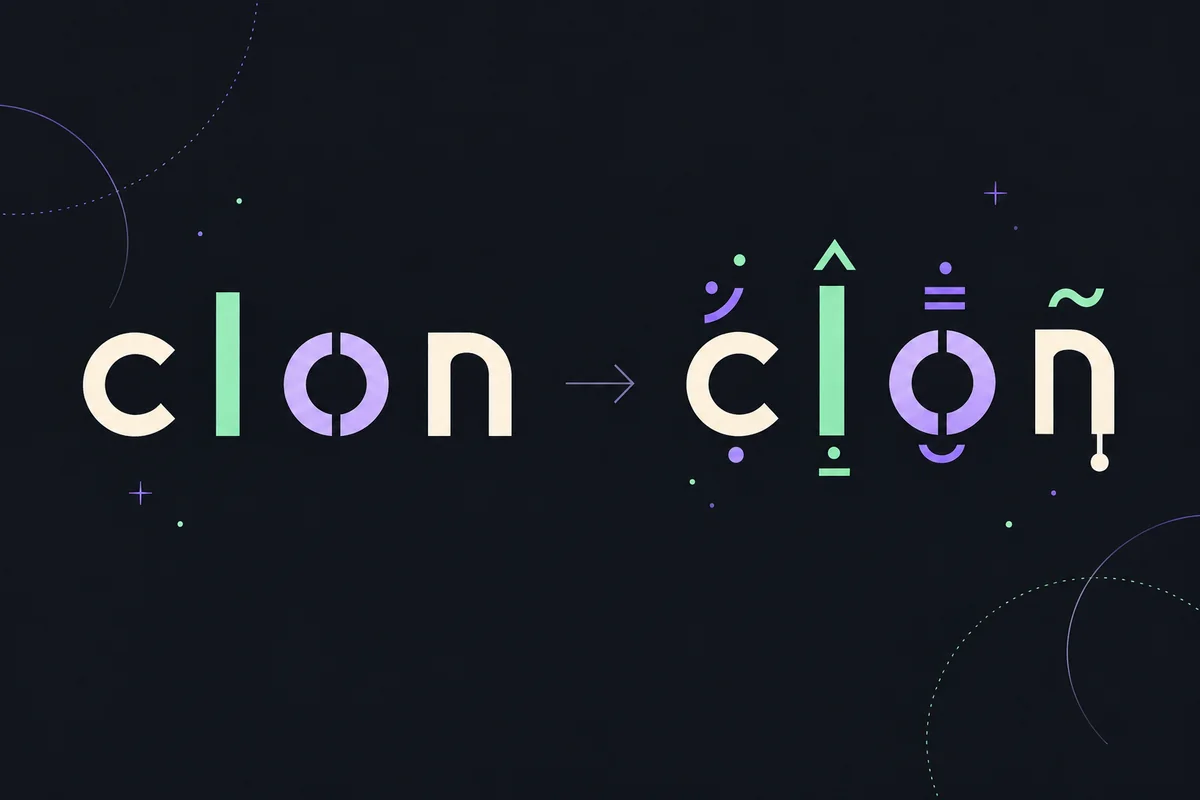
Glitch text is regular text decorated with Unicode combining marks. The marks can sit above, below, or through a base character, creating a broken, noisy, or cursed appearance while keeping the result copyable.
What is glitch text?
Glitch text is a normal string with extra Unicode combining marks attached to selected characters. A base character such as a letter remains part of the string, while the added marks alter how that character is displayed. Depending on the combination, marks may appear over a letter, under it, or across its shape. That is why the output can look like a corrupted screen even though it is not an image file.
The phrase can describe several looks: a lightly decorated nickname, a noisy social caption, or an extreme Zalgo-style line with marks stacked in several directions. Those looks share a technique, but they do not share the same practical use. A readable profile name needs restraint; a horror joke may intentionally trade readability for atmosphere.
Glitch text is also different from a visual glitch effect made in Canva, Photoshop, or a video editor. A graphic effect changes pixels, layers, color, or motion. Unicode glitch text changes the characters that an app receives. Use the text approach when you need to paste the result into a field, and use a visual editor when the final output is an image or animation.
How glitch text is made
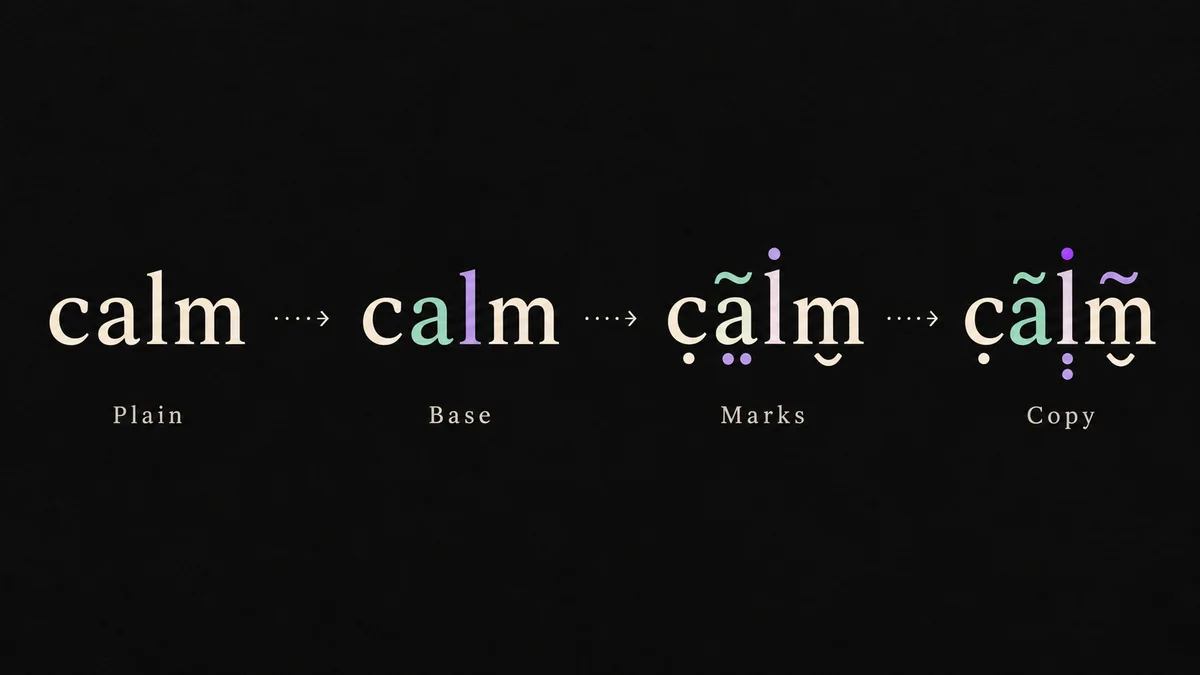
A reliable glitch text generator changes the decoration around a base string while preserving the characters that make the message readable. The exact result depends on the selected style, intensity, and the app where you paste it.
Start with a base string
Type a word, name, sentence, or short caption. Keeping the first test short makes compatibility problems easier to spot.
Choose a style
Use Soft for a subtle edge, Glitch for a balanced look, Cursed for heavier distortion, or Zalgo for the most intense stack.
Set the intensity
Intensity changes how many combining marks are added. It is a readability control as much as a visual control.
Inspect the preview
Look for clipped lines, unexpected spacing, or marks that overwhelm the letters before you paste the result elsewhere.
Copy and test
Copy the exact string, paste it into the destination, and keep a plain version ready if that app rejects unusual characters.
Glitch text styles compared
The label matters because more marks do not always make a better result. Start with the lightest style that gives you the look you want, especially for names and public profiles.
| Style | Best for | Typical result | Practical note |
|---|---|---|---|
| SoftLOW | Names, bios, readable social text | A light decorated edge around letters | Usually the safest first test |
| GlitchBALANCED | Captions, posts, general glitch text | Visible distortion without extreme stacking | Good balance for short copy |
| CursedHEAVY | Memes, reactions, creepy comments | A busier, more corrupted-looking line | Some apps may normalize marks |
| ZalgoEXTREME | Horror, creepypasta, dramatic samples | Dense marks above, below, and through letters | Most likely to become hard to read |
Soft and Glitch are usually the easiest starting points. Cursed and Zalgo are more dramatic, but dense marks can affect line height, selection, moderation, and readability. A short test phrase tells you more than a long preview.
Glitch text is not the same as a glitch font
Base characters still matter
The generator does not replace every letter with a secret font. It starts with the characters you typed and adds a bounded decoration layer. Numbers, punctuation, spaces, and emoji may be treated differently so the message does not become needlessly noisy.
Combining marks can stack
Unicode supports marks that combine visually with a neighboring base character. A few marks can create a clear accent; many marks can extend the line, change its height, or make selection difficult. That is the source of the classic Zalgo appearance.
Rendering belongs to the destination
The same string may look different in a browser, chat app, operating system, or game. Font support, normalization, text limits, and moderation rules can remove, reposition, or ignore marks after you paste them.
Copyable as a string; the destination app decides how it renders.
Usually changes appearance through a font file or design software, not extra Unicode marks.
How to copy glitch text into apps
For most apps, the basic workflow is simple: generate a short sample, copy the result, paste it into the target field, and check the final rendering there. Do not judge compatibility only from the generator preview. A profile editor may enforce a character limit, a chat box may normalize the string, and a game may allow fewer characters than a normal text field.
If the destination looks crowded, reduce the intensity before shortening the message. Lower intensity removes visual noise while preserving the same words. If a platform still rejects the result, try Soft mode, remove decorative marks from the most important word, or use the plain version. This is especially useful for usernames, bios, accessibility-sensitive copy, and messages that need to remain searchable.
For Discord, profiles, captions, and comments, readability usually beats maximum distortion. Test a short phrase first, keep the line inside its layout, and avoid extreme output for impersonation or moderation evasion.
- Test the destination
Previewing in the generator cannot predict every font, device, or app rule.
- Keep text short
Dense marks can make a line appear much longer than its visible letters suggest.
- Lower intensity first
A smaller mark stack often fixes clipping without changing the words.
- Protect important content
Keep a plain-text copy for account names, instructions, and searchable posts.
- Respect app rules
Unusual Unicode may be filtered, normalized, or disallowed by a service.
Examples of glitch text
These samples move from light decoration to a denser Zalgo-style result. Copy one to test how your target app handles combining marks.
Stay curious
Ṡṫȧẏ ċu̇ṙi̇ȯu̇ṡ
A restrained look for a bio or display name.
Signal lost
S̷i̵g̶n̷a̵l̶ l̷o̵s̶t̷
Visible distortion while the base phrase remains easy to read.
Do not wake it
D̷o̴ n̶o̵t̷ w̴a̶k̷e̵ i̷t̶
A stronger meme or horror tone; test before posting.
The signal is watching
T̷h̵e̶ s̷i̵g̴n̷a̵l̶ i̷s̴ w̷a̵t̶c̷h̵i̶n̷g̵
Use sparingly because dense marks can become unreadable.
Common glitch text mistakes
Most problems come from treating glitch text like a picture. It is a string interpreted by another system, which may count code points differently, choose a fallback font, or remove combining marks during validation.
Extreme stacking is memorable, but it is a poor fit for long instructions, usernames, and accessibility-sensitive text.
A short phrase with many marks can hit a platform limit sooner than expected.
A pasted Unicode string cannot guarantee the same visual shape on every device.
Frequently asked questions
These answers focus on the practical difference between a visual effect and a copyable Unicode string.
What is glitch text?
Glitch text is ordinary text decorated with Unicode combining marks. The result remains a copyable string, but the receiving app and font decide how those marks finally appear.
Is glitch text a font?
Usually not. A glitch text generator returns Unicode characters rather than a font file. You can paste the string without installing a typeface, although the appearance may vary between platforms.
How do I copy and paste glitch text?
Generate a short phrase, choose a style and intensity, select the copy action, then paste the exact result into a field that accepts the characters. Check the destination because it may normalize or limit the string.
Why does glitch text look different after pasting?
Apps can use a different fallback font, normalize Unicode, cap text length, or remove combining marks. Lower intensity and shorter phrases usually improve consistency.
Can I use glitch text in a username or bio?
You can try it where the service accepts the characters, but profile fields often have strict rules. Test a short Soft or Glitch sample and keep a plain version in case the platform rejects it.
Does glitch text work in Discord?
It often works in Discord, but the result can vary by device, font, message length, server settings, and moderation rules. Readable styles are generally easier for other people to follow.
Can I turn glitch text back into normal text?
A cleaner version can often be made by removing combining marks, but the exact cleanup depends on the characters involved. Keep the original plain text whenever possible instead of relying on reverse conversion.
Useful technical references
The guide uses ordinary Unicode terminology. These references explain the building blocks and the browser API used to keep complex characters together when processing text.
- Unicode Combining Diacritical Marks chart — Official chart for a commonly used block of combining marks.
- MDN: Intl.Segmenter — Browser documentation for segmenting user-perceived text units.
Make a copyable glitch text sample
Use the browser generator for a live preview, switch between four bounded styles, lower the intensity when a destination app clips the marks, and keep a plain-text version for important messages.
Open the generator