
The phrase glitch font generator describes a text effect, not a downloadable typeface. A browser tool keeps ordinary letters as the base and attaches Unicode combining marks or alternate characters to them. This page explains what the generator actually returns, how to choose a style, why the same copy can render differently, and how to keep an intense result from hiding the message.
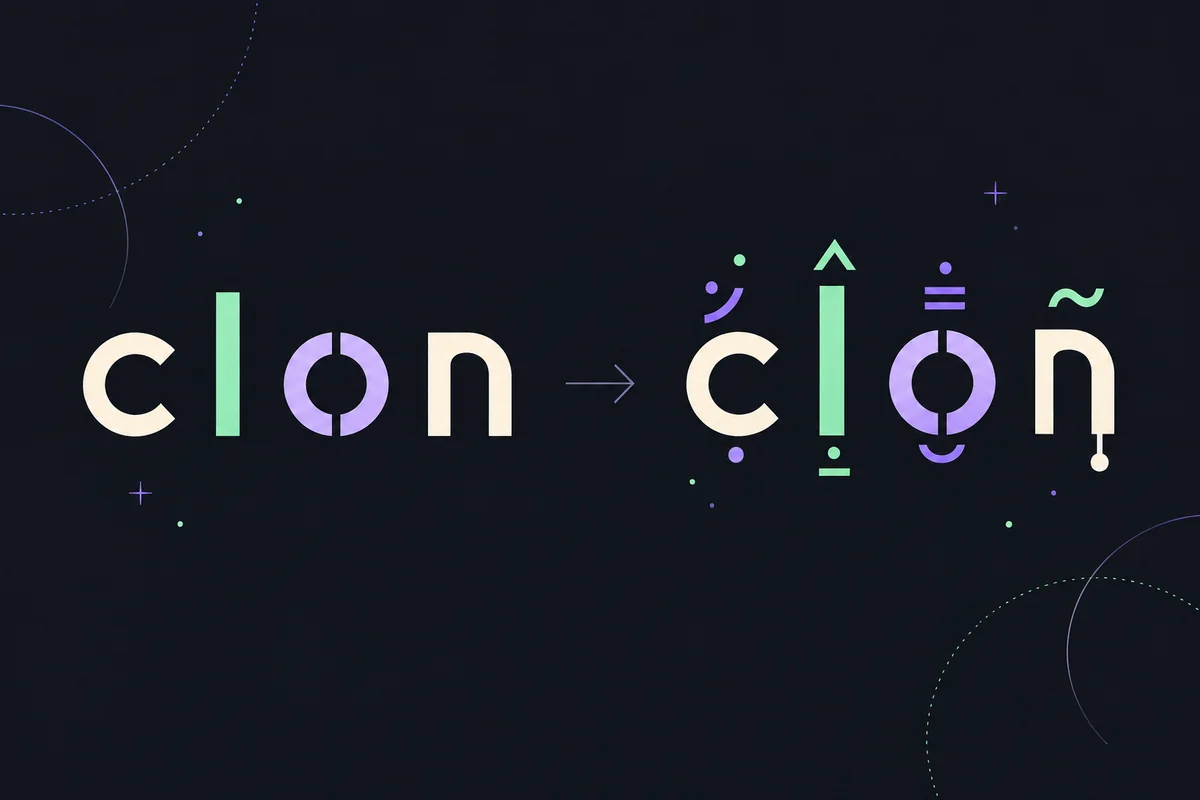
Use a glitch font generator as copyable text
Type a short phrase, compare a light and a heavy style, copy the result, and paste it into the exact field where you plan to use it. A glitch font is usually Unicode text with combining marks, not a font you install. Keep the plain phrase beside the decorated version so you can undo the effect when a platform filters characters or a reader needs a clearer line.
- Enter a short phrase and keep a plain-text copy beside it.
- Compare light, balanced, and dense decoration before choosing.
- Copy the Unicode result and paste it into the real destination field.
- Reduce the effect when marks collide, wrap, or make the words hard to search.
What does a glitch font generator return?
A glitch font generator changes a normal string into decorated Unicode text. The base letters remain characters, while extra marks are placed above, below, or through them. Some styles also swap a letter for a look-alike Unicode character. The output can be copied into a message, profile field, caption, or document wherever the destination accepts those characters.
The word font is convenient shorthand, but the result is not a font file. Nothing is installed on your device and no new typeface is attached to the text. The receiving app still chooses its own font and shaping engine. That is why a preview is useful for exploring a mood, while a paste test is necessary for checking the actual appearance.
- Unicode characters travel with the copied string; a font installation is not required.
- Combining marks can change the visual height of a line without changing the base spelling.
- The destination app, font, and device decide how the same string is shaped.
- A plain source is the safest fallback for editing, search, and accessibility.
How to use a glitch font generator
The useful workflow is a small loop: write the source, choose the amount of decoration, copy the output, and inspect it where it will be used. Starting with a short phrase makes it easier to spot a filtered character, a clipped line, or a mark that appears in an unexpected place.
A well-designed page shows more than a single dramatic sample. It should let you compare styles, explain the output in plain language, and make the copy action clear. When the input is empty, the page should ask for text instead of presenting an old result as if it were current.
- 1Write the plain phrase
Use the name, caption, or short message you actually plan to paste. Keep spaces and punctuation intentional, and save the plain version before styling it.
- 2Start with light decoration
Choose a subtle or balanced level first. More marks increase visual noise and line height, but they do not guarantee that the destination will accept the result.
- 3Compare the readable base
Look back and forth between the source and the preview. If you cannot identify the words quickly, shorten the phrase or lower the intensity.
- 4Copy and paste into the real field
Copy the generated string, then paste it into the exact profile, chat, caption, or document field where you intend to use it.
- 5Save or send only after a check
Inspect wrapping, selection, and legibility on the device that matters. Keep the source nearby so you can restore it without deleting marks by hand.
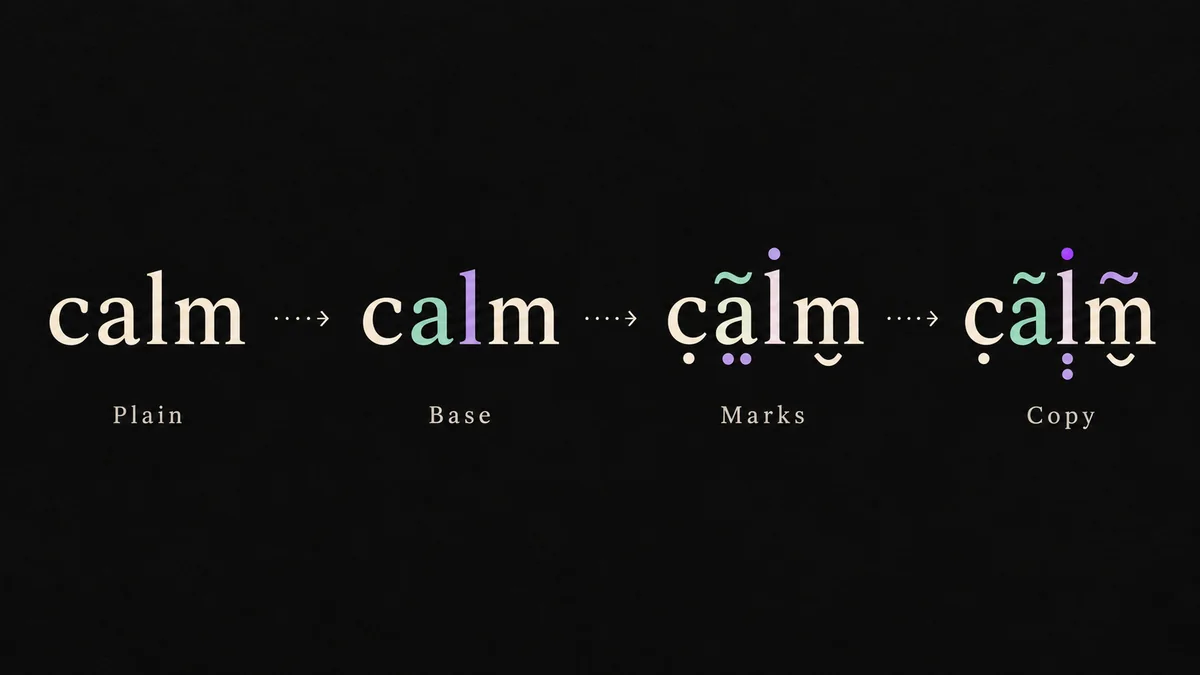
Unicode glitch text is not the same as a font
A font is a set of drawing instructions used to display characters. Unicode is a standard for identifying characters and marks. A glitch font generator works mainly with the second layer: it returns a sequence of code points that a platform may display using its chosen font. The same sequence can therefore look calm in one renderer and crowded in another.
Many effects use combining diacritical marks. These marks normally modify a nearby base character, and several can follow one letter. The Unicode chart lists the characters, but it does not promise that every application will stack an unlimited number of marks in the same way. Treat the chart as character data, not as a compatibility table.
Copy and paste glitch font text safely
Do not judge compatibility only in the generator preview. Paste a short sample into the exact field you plan to edit, because a chat composer, username field, profile bio, and design tool may use different validation and length rules. A result that looks fine in a browser can be rejected, shortened, or wrapped differently after saving.
Count the visible words as well as the underlying characters. Combining marks can make a short phrase occupy a tall or wide visual area, while a platform may count every code point toward its limit. Keep important names, links, and instructions in ordinary text so readers can find and understand them.
Readability and accessibility limits
Dense combining marks can make a word difficult to scan even when the base letters are technically present. Screen readers may announce individual marks, pronounce an unexpected sequence, or skip part of it. Text selection can also feel jumpy because one visible glyph may contain several code points. These are normal consequences of the format, not bugs that a preview can solve.
Use light decoration for labels and optional personality, never for a warning, an access code, a safety instruction, or the only copy of a link. Avoid using unusual characters to impersonate another account or hide a destination. If a community or platform sets stricter rules, those rules take priority over the generator's output.
- Keep essential information in ordinary, searchable text.
- Expect assistive technology and custom fonts to handle marks differently.
- Do not use decoration to disguise links, evade moderation, or impersonate someone.
- Use a lighter style when the output is hard to select or read aloud.
Match the glitch font to the place you will use it
Different styles change the amount and position of decoration. The most dramatic preview is not automatically the most useful one. Start with the shortest phrase and the lightest version that communicates the mood.
| Style | A good fit | Trade-off |
|---|---|---|
| Light | Short usernames, subtle captions, or a status line | Usually easier to scan, but the effect may be understated. |
| Balanced | A headline, social post, or decorative message | More visible marks can change line height and platform length. |
| Dense | A brief horror or experimental sample | Most likely to overlap, wrap, or confuse readers and screen readers. |
| Alternate characters | A cleaner letter-shape change without tall stacks | Look-alike characters can affect search, sorting, and moderation. |
Glitch font examples to test
These examples show the idea without promising identical rendering everywhere. Copy a small sample, paste it into the destination field, and compare it with the plain source.
Signal lost
Ṡi̇ġṅȧl̇ l̇ȯṡṫ
A small number of marks can suggest a glitch while leaving the base phrase easy to recognize.
Signal lost
S̶i̴g̷n̸a̴l̷ l̸o̴s̶t̷
Check the destination font: strike-like marks can look heavier or lighter after pasting.
Signal
S̵͝i̷͝g̸͠n̶͝a̴͠l̷
Dense samples are best kept short because stacked marks can make selection and reading difficult.
Frequently asked questions
The answers below separate Unicode behavior from platform rules, so you can choose an effect without treating a preview as a compatibility guarantee.
Is a glitch font generator creating a real font file?
Usually no. It creates a Unicode string with combining marks or alternate characters. You can copy the result, but you do not download or install a typeface.
Can I copy and paste glitch font text anywhere?
You can paste it into many Unicode-aware fields, but no generator can guarantee every platform. Fields may filter characters, count marks toward a limit, or render the same string with a different font.
Why does my glitch font look different after pasting?
The destination may use another font, shaping engine, width, or validation rule. Compare a short sample in the real field and on the device where readers will see it.
Is glitch font the same as Zalgo text?
They overlap in everyday usage. Both may use combining marks, but glitch font can also describe lighter effects or alternate Unicode letters. Use the style and intensity that fit the intended reading experience.
How can I make glitch text easier to read?
Start with a light level, shorten the phrase, remove decoration from key words, and keep a plain copy. Test on mobile and with the font settings used by your audience.
Can screen readers read glitch font text?
There is no consistent experience. Assistive technology may announce combining marks individually or produce an unclear result. Keep important instructions, names, and links in plain text.
Technical references
Unicode character data and browser text segmentation explain why marks can attach to a base letter and why a visible character is not always one user-perceived character.
- Unicode: Combining Diacritical Marks — The Unicode chart for the U+0300–U+036F combining mark block used by many decorated text effects.
- MDN: Intl.Segmenter — Browser guidance for working with user-perceived text segments instead of assuming one code point equals one character.
Keep the source and test a short copy
Open the generator from the homepage, begin with a few words, and save the plain phrase before copying a decorated result. If the effect crowds the line, lower the intensity or use the plain version for important names, instructions, and searchable text.